Student Workbook
Receive a realistic work order
Students begin with a clear role, assignment, objectives, and definition of success.
Ages 13–16 · No experience required
A story-driven networking academy where teens learn by doing—configuring equipment, solving support tickets, and stepping into the role of a Junior Network Administrator.
Use code LAUNCH5 at checkout. Regularly $24.95; launch price $19.95. Offer ends September 1, 2026.

For the parent wondering where to begin
Most IT training is designed for adults. Network Launch Academy gives curious teens a welcoming first experience—without watering down the technology. They receive clear guidance, realistic assignments, and room to build confidence at their own pace.
See inside Module 1
Parents can see exactly what students receive before enrolling. These previews come directly from the Module 1 Student Workbook and Guided Walkthroughs.
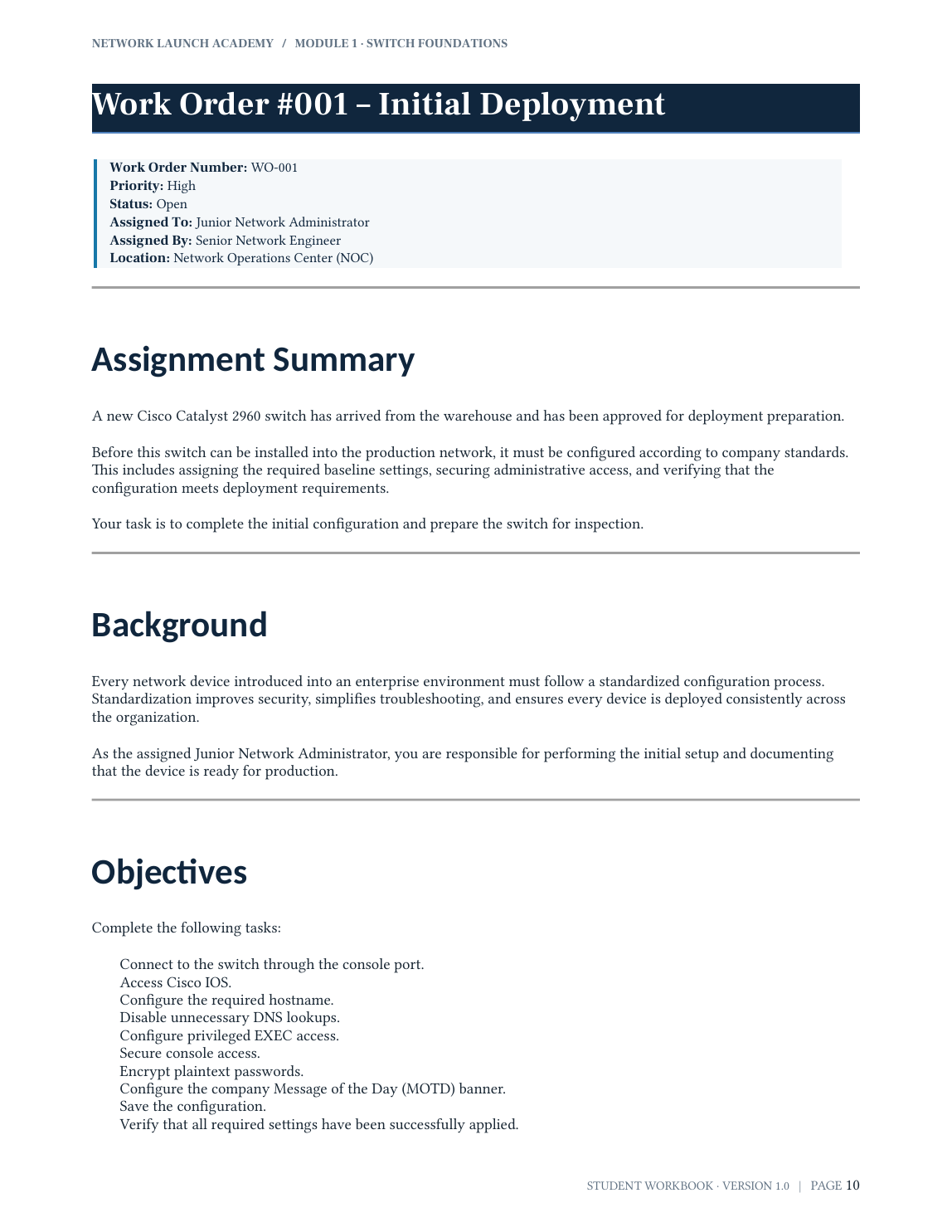
Students begin with a clear role, assignment, objectives, and definition of success.
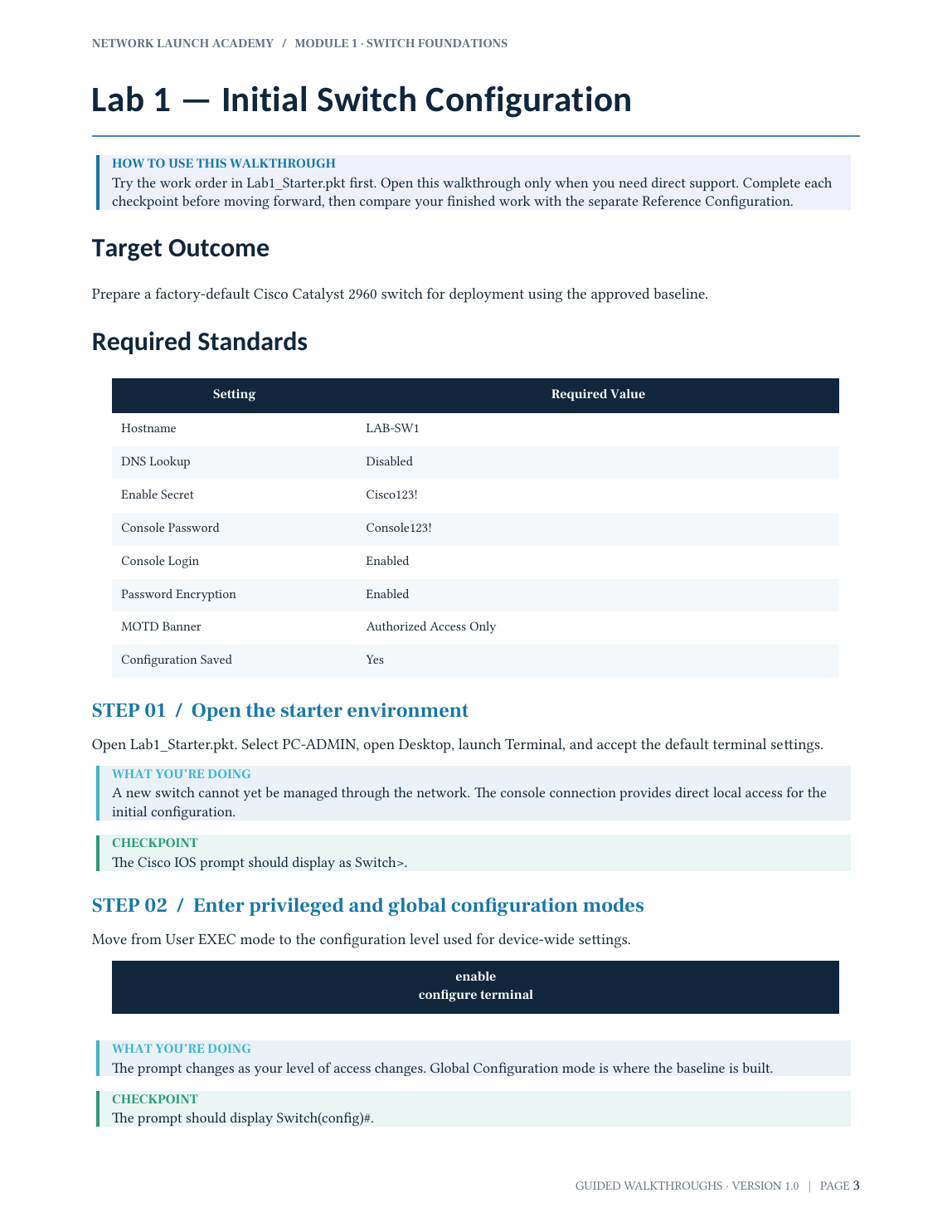
Optional walkthroughs explain the commands, checkpoints, and purpose behind each step.
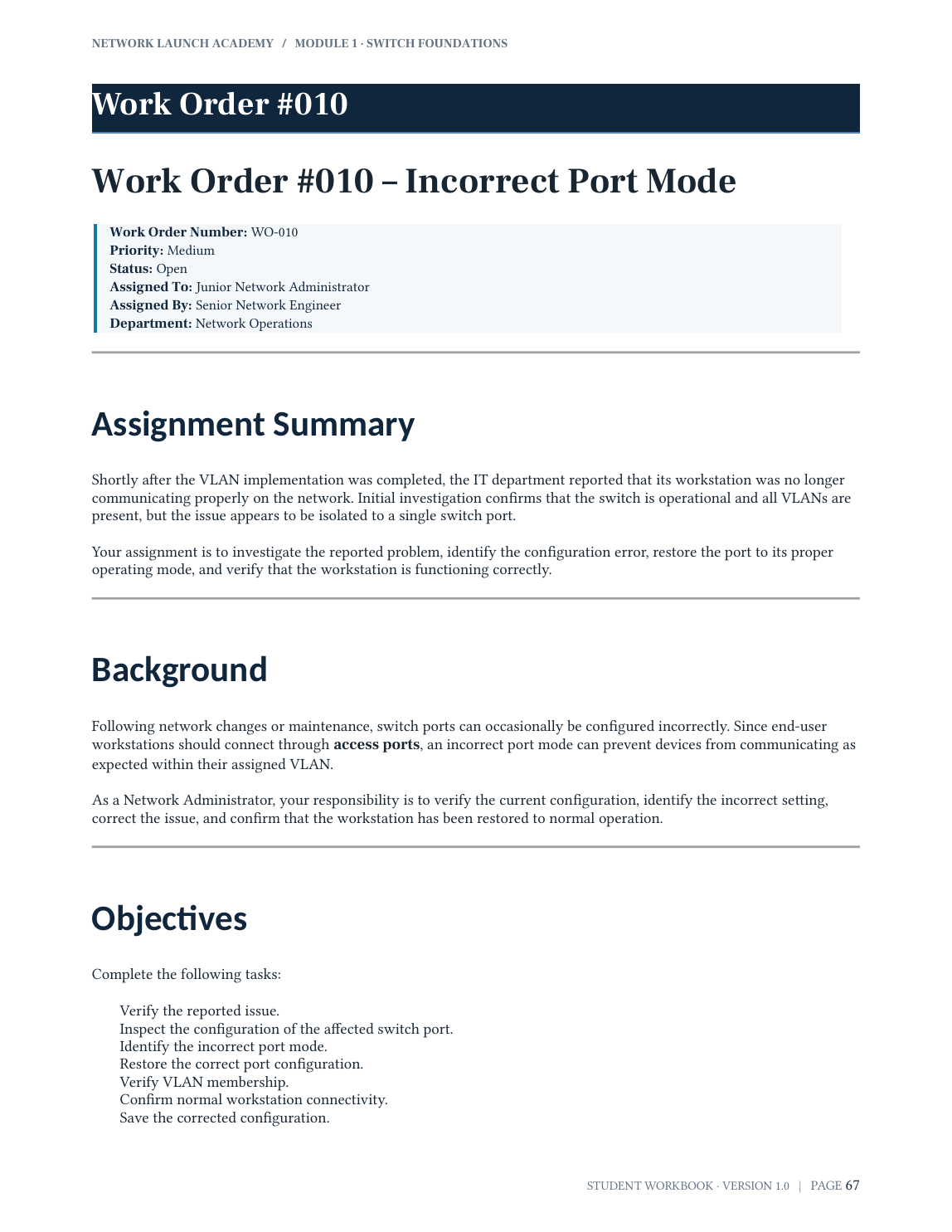
Students use reported symptoms and verification skills to diagnose and repair configuration problems.
Click any preview to view a larger sample page.
Not another watch-and-forget course
Every assignment connects to the next, so students see a company network grow while their responsibilities grow with it.
 01
01Receive the ticket
A realistic work order explains the situation, objective, and definition of success.
 02
02Work the problem
Guided walkthroughs help students use Cisco commands and understand why each step matters.
 03
03Verify the result
Broken configurations challenge students to gather evidence, repair the issue, and document the fix.

What they practice in Module 1
A pathway designed to grow
Begin with one switch. Continue toward a connected, routed, secured business network as new modules launch.
Configure, secure, and segment a Cisco switch through three connected assignments.
Expand beyond one switch and learn how devices communicate across a growing network.
Add the services and routing that help a business network operate at scale.
Control traffic, strengthen the network, and connect the final environment.
Inside Module 1
The course is designed to be complete on its own. Guidance is available when students need it, but the goal is to help them become more independent with every assignment.
See the complete Module 1 curriculum →What happens after purchase
Enroll securely through the existing Module 1 Payhip page.
Open the online course and find the workbook, walkthroughs, and lab downloads together.
Follow the recommended order and begin the first switch-deployment assignment.
One-time purchase · Permanent access · No subscription

A guide behind the guide
I’m Brandon Rowe, a network administrator and the founder of Network Launch Academy.
I created NLA because talent is everywhere, but access to practical technology education is not. My goal is to give Black youth and families with limited resources an affordable, encouraging way to explore IT, develop real skills, and see themselves building a future in technology.
Students do more than memorize commands. They learn how to approach an assignment, configure real networking environments, verify their work, troubleshoot problems, and keep going when something breaks.
Network Launch Academy centers young people who have historically had less access to technology education while welcoming every student who is ready to learn.
Brandon Rowe Founder · Network Administrator
Questions parents ask
No. Module 1 starts with the foundations and includes guided walkthroughs that explain what to do, why it matters, and how to verify the result.
The recommended age is 13–16. Older beginners are welcome too. Students should be comfortable reading instructions, typing commands, and working independently with occasional adult support.
Students need a Windows or Mac computer that can run Cisco Packet Tracer and an internet connection to access the course. Packet Tracer is available at no additional cost through Cisco.
Module 1 is self-paced. Students receive the workbook, guided walkthroughs, Packet Tracer activities, reference configurations, and troubleshooting assignments so they can learn on their own schedule.
No course can guarantee employment. Network Launch Academy gives students an early, practical introduction to networking and experience they can describe when exploring future classes, certifications, internships, and entry-level opportunities.
Students who meet Discord’s minimum age can use the Academy’s support community. Parents can also contact the Academy directly at brandontcp24@gmail.com.
Their IT journey can start here
Module 1 is a self-paced, hands-on introduction to networking for teens ready to explore what working in IT can feel like.
Use code LAUNCH5 at checkout. Regularly $24.95; launch price $19.95. Offer ends September 1, 2026.